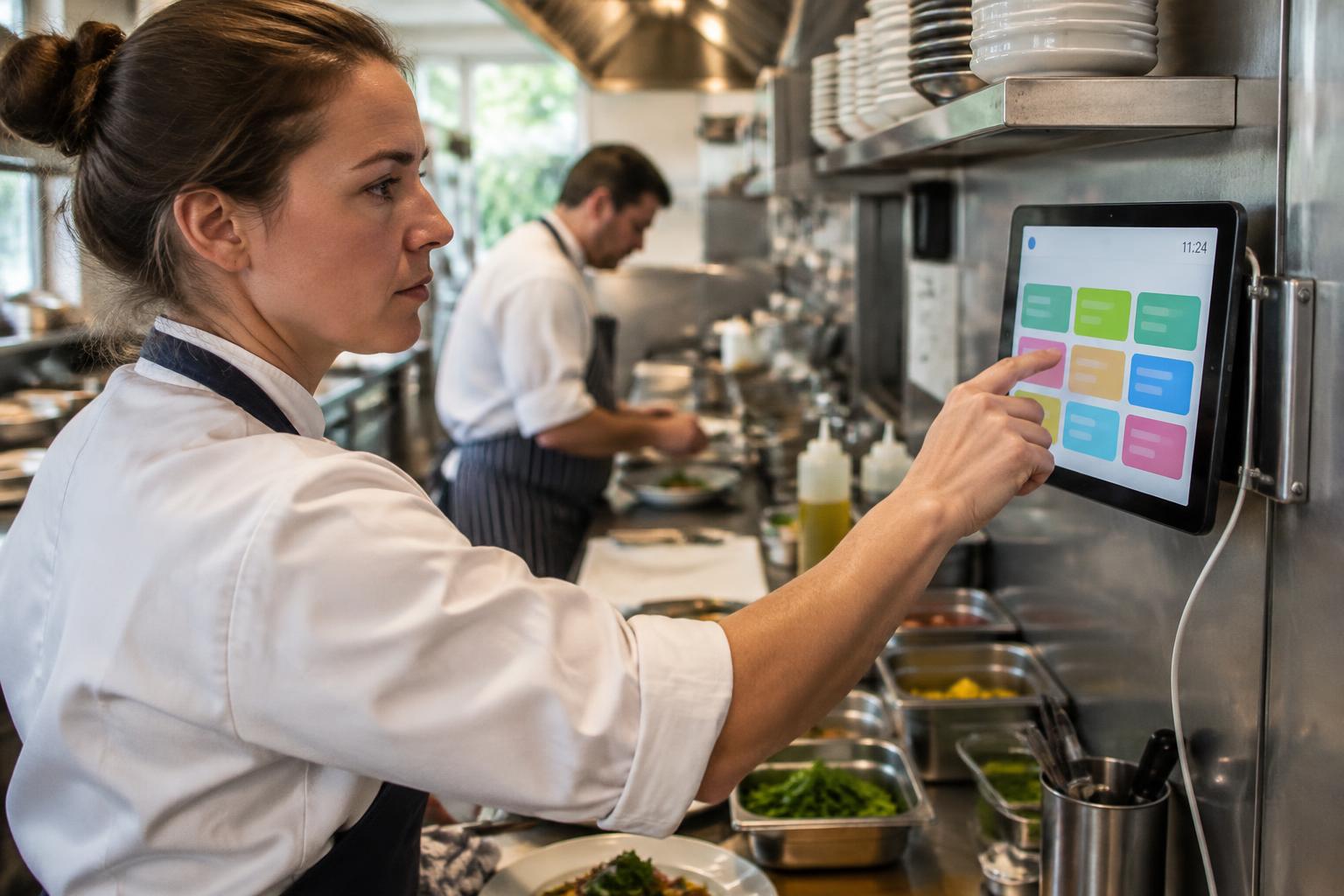
One shared kitchen tablet. Every check signed by the right person.
Put one tablet on the kitchen wall and let the whole team record temperatures, food safety checks and task lists in seconds — each with their own name and PIN, no shared passwords and no settings to break.
Works on the tablet you already have — nothing to install.
How it works
Set up in under a minute. Your team learns it in one shift.
- 1
Turn it on in Settings
An owner or manager taps Kitchen Tablet on any tablet and chooses a 4-digit exit passcode. That's the whole setup.
- 2
Tap your name, enter your PIN
Big, colourful name buttons for the whole team. First time it's 2580 — then everyone picks their own.
- 3
See only your tasks
Today's Kitchen Tasks shows just the sections you can record in, with red numbers for what's still due.
- 4
Save and it locks itself
After saving a record, or 60 seconds with nobody using it, the tablet returns to the name screen for the next person.
Built for busy kitchens
Personal PINs, no shared logins
Every temperature and tick is signed by the person who did it — exactly what an EHO wants to see.
Settings stay out of reach
Settings, account and team pages never appear on the tablet, for anyone.
Red numbers for what's due
Each name and each tile shows how many tasks are still to do today, including expired Shelf Time items.
60-second auto lock
Walk away and it locks. Tap Lock Screen any time. Nobody records under someone else's name.
Training built in
Due training shows a reminder with the date. Overdue training blocks the tablet until it's done.
Live on every phone
Records saved on the tablet appear on managers' and staff phones within moments.
Restart-proof
Power cut or restart? It opens straight back on the name screen. Only the exit passcode turns it off.
Stays awake, warns on low battery
The screen stays on during service, with a battery meter and a plug-in warning on supported tablets.
Everything in the Activity log
Tablet sign-ins, PIN resets and battery warnings are all recorded, so there's always a clear history.
Tablet, phone, or both
Kitchen Tablet
- One device for the whole team
- Name + PIN in two taps
- Perfect for staff without work phones
- Locks itself between people
Staff phones
- Each person's own shift dashboard
- Training, Safe Methods and quizzes
- Reminders and notifications
- Sees tablet records within moments
Kitchen Tablet questions
What is Kitchen Tablet Mode?
Kitchen Tablet Mode turns one tablet in your kitchen into a shared LogYou device. Instead of everyone using one login, each team member taps their own name and enters a personal 4-digit PIN, so every temperature, check and task is recorded under the right person.
Do I need special hardware?
No. Any tablet with an up-to-date web browser works, such as an Android tablet or an iPad. There is nothing to install from an app store. We recommend mounting it near the pass or prep area and keeping it on its charger.
How do staff sign in?
Each person taps their name on the tablet and enters their PIN. The first time, the PIN is 2580 and they must choose their own straight away. If someone forgets it, an owner or manager can reset it to 2580 from Sites & Team.
Can staff change settings on the tablet?
No. The tablet only shows the sections each person is allowed to record in. Settings, account details and team management never appear in Tablet Mode, even for managers.
What stops the next person using someone else's sign-in?
The tablet locks itself a few seconds after a record is saved, and after 60 seconds with nobody using it. Anyone can also tap Lock Screen. The next person always starts from the name screen.
What happens if the tablet restarts or the app is closed?
It opens straight back on the name screen. Tablet Mode stays on until an owner or manager exits it with the exit passcode chosen when it was turned on.
Does the screen stay on during service?
Yes, on browsers that support it, Tablet Mode keeps the screen awake so the name buttons are always ready. On tablets whose browser shares battery level (such as Android tablets with Chrome), a battery meter shows next to the clock and a warning appears if the battery drops below 26% while unplugged.
Do records from the tablet appear on staff phones?
Yes. Records saved on the tablet appear on phones and computers signed in to the same site within moments, so nothing stays showing as due after it has been done.
Put your kitchen checks on the wall
Start your free trial, then turn any tablet into a Kitchen Tablet from Settings.
Start Free 7-Day TrialAlready using LogYou? Follow the step-by-step How 2 guide to Kitchen Tablet Mode (KTM).